


Communities & Memberships
The Best Alternatives to Circle.so
If you're thinking about trying Circle.so or already use it and are ready for a change, here are the best alternatives and the pros and cons of each one.
Author
Mighty Team
Last Updated
July 20, 2026


Table of Contents
Whether you’ve been thinking about trying Circle community or are currently using it and have outgrown it, this post will talk through some alternatives to Circle.so and walk you through some pros and cons of each one–evaluated on content options, member engagement, features depth, course tools, and pricing. From small creators to huge brands, we’ll show you where to build.
9 Circle Alternatives (Quick Comparison)
In this chart, we offer a quick comparison of the best Circle alternatives. We go into more depth on each option below.
Best Features | Use For | Starting From (billed annually) | |
|---|---|---|---|
AI member engagement & customizable Spaces | Creators & brands building paid communities | $79/mo | |
Marketing funnels & email | Async course creators & funnel builders | $143/mo | |
Branded app on every plan | Membership businesses needing branded apps | $399/mo | |
White-label web community with flexible Spaces | Brands & orgs adding website forums | $399/mo | |
Free real-time voice, video & chat | Free communities, gamers & streamers | Free | |
Intuitive workplace-style chat & 2,600+ integrations | Teams & groups who know each other | Free / $7.25/user | |
Federated search, enterprise security & Salesforce/Zendesk integration | Enterprise customer communities | Not public | |
AI networking & multi-tiered mentoring | Alumni & professional networks | Not public | |
Strong LMS with quizzes, drip content & marketing tools | Async courses + basic community | $40/mo |
What is Circle.so?
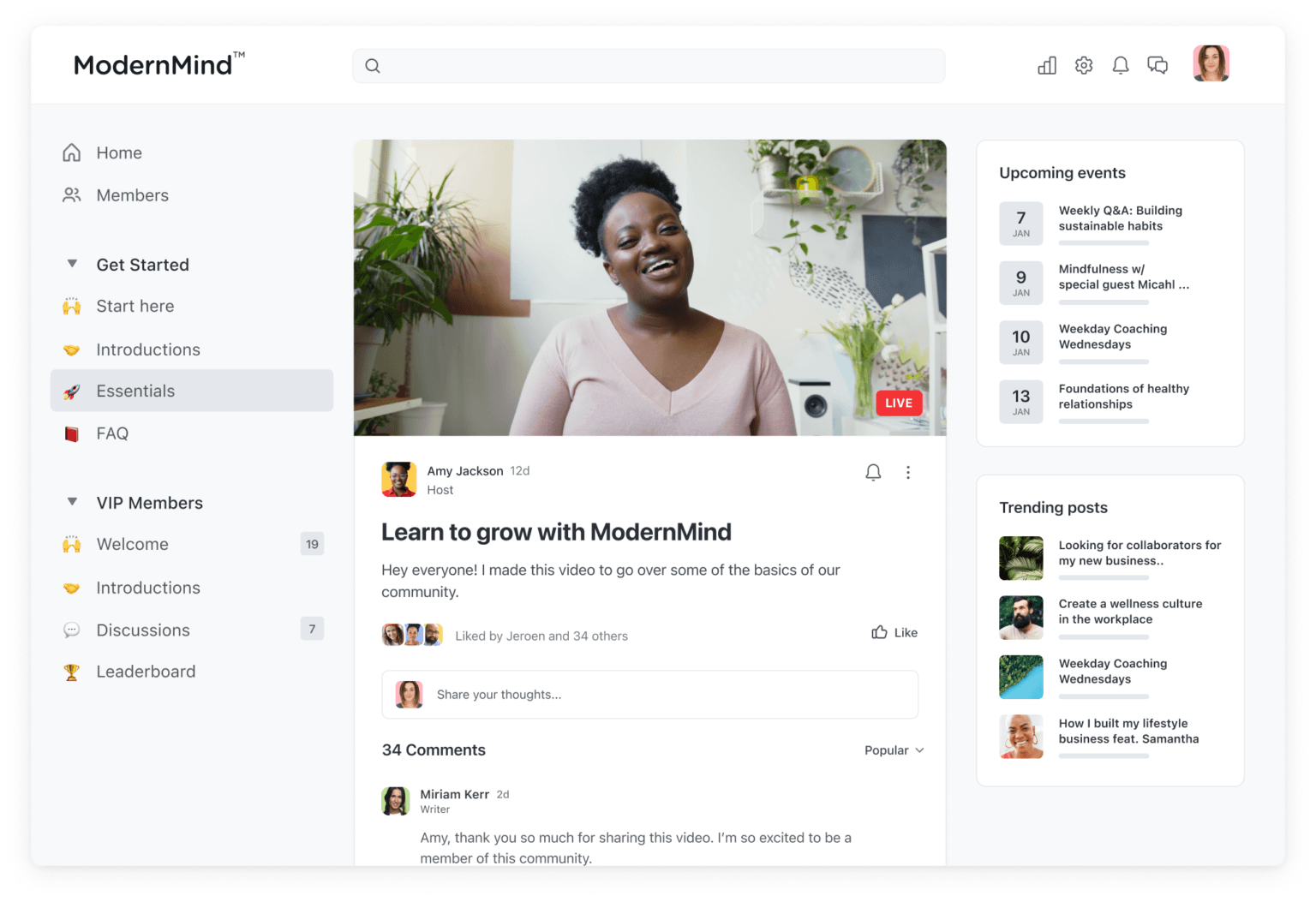
Circle.so is a community platform that includes features like discussion forums, chat & messaging, livestreaming, and courses. It also gives users different ways to host and organize content created by both hosts and members.
The Circle platform also has monetization features, like adding paywalls to different spaces to sell memberships, courses, and/or events.
Benefits of a Circle community
Interactive discussion forums
Build event, chat, content, or course Spaces
Member profiles
Charge for memberships, courses, and events with gating
Livestreaming
Workflow options
Customization tools
Cons of the Circle platform
Single-space only. You can only have one feature per space (e.g. you can't add a discussion forum to a course space).
Profiles & member discovery is basic. The member list is often off by default. Even when it's on, profiles are basic and aren't designed to bring members together.
The course LMS has historically been missing things like assessment tools, though Circle has announced a redesigned course builder that may address this. It's better for cohort courses.
There are limits on the essential features and it can cost extra to add more.
Circle's AI tools have primarily focused on admin tasks and moderation rather than member engagement, though Circle recently announced a broader AI assistant (Circle AI) still in beta rollout.
How we evaluated Circle alternatives
We compared each platform against the following criteria.
Content flexibility: How many features (discussions, courses, events, chat) can live in one space, and how much control do you have over what you build?
Member discovery and connection: How easily can members find and meet each other, beyond commenting on the same post?
Communication tools: Are there a range of ways to reach members, like discussions, chat, messaging, livestreaming?
Course feature depth: Is there support for live and pre-recorded courses, assessments, and structured learning experiences?
Event functionality: Does it have real RSVP tools, event details, and calendar integration?
Business platform: Does it have the ability to run a full business, make sales, charge in different currencies, and understand analytics?
Mobile apps: Does it have iOS and Android apps, are these well-reviewed, and can you upgrade to a branded app if you want?
The 9 best alternatives to Circle
Mighty Networks
The best Circle alternative for communities
Mighty Networks mixes a community platform with courses, content, commerce, and events, and it's top ranked community management software by G2.


Mighty gives you flexible Spaces -- each one works like a container that can hold community discussions, live streaming, virtual events, courses, and more. You can choose from templates like Chat, Feed, Cohort Course, Content-Only Course, Event, Conference, Page, or Resource Library.
Mighty also has designed its software to build member engagement: into member profiles, content, and even AI tools.
Mighty's AI features build member connections, and these include:
Profile assist and show similarities with another member
Icebreaker questions and conversation starters
Automatically re-engage members who have dropped off
Text boosts like the "make it better" editor and an integrated AI course creator for designing course outlines and more.
AI generate conversation starters instantly.
Mighty gives you a full feature set to build your network under your brand, use light and dark mode, and customize themes, landing pages, network identity, labels, and more. It has well-rated apps for every device. And Mighty builds premium branded apps with Mighty Pro, which has launched 600+ branded apps to date.


Mighty Networks does not have extensive marketing funnels or multi-page website building. This means it's best for communities, not creating marketing sequences for async courses (below).
Mighty Networks Pros
All of Circle's core community features but a better fit for communities where engagement is the core product.
More flexible Spaces with multi-feature design, and Space templates and build-your-own custom Spaces.
AI-boosted community management with software designed to boost connections between members
Tighter course, event, livestream, and community experience
Built-in Kit and Zoom integrations
Mighty Networks Cons
No native email marketing
Does not support multi-page websites
No marketing funnels
Kajabi
Best Circle alternative for pre-recorded courses + funnels
Kajabi is one of the best-known online course platforms. If you're looking for a Circle alternative that gives you a pre-recorded course with built-in course marketing features, Kajabi is a good option. It has a powerful set of marketing features, things like upsells, email targeting, funnel/landing pages, and more.


However, Kajabi isn't as strong on community features. Kajabi's community product adds "Circles" (topic clusters), discussion forums, messaging, and live events. It's missing advanced engagement tools like AI discussion starters and the gamification is limited to badges and a leaderboard. The biggest limit is that Kajabi's community 2.0 came from acquiring a chat platform, and the UX still feels like an add-on–it's not closely integrated.
This means Kajabi is better than Circle for pre-recorded courses, landing pages, and funnels, but not as good for communities specifically. Kajabi also offers a basic branded app that's a cheaper, but ultimately more limited, version of Circle plus. You need to manage your own developer account.
Kajabi Pros
Great async LMS with course delivery, dripping content, assignments, etc. built-in
Integrated marketing funnels, landing-page builders, and email marketing
Affordable basic branded apps
Kajabi Cons
Course apps and business admin apps are separate–you need 2 apps to run your business on mobile.
Community isn't integrated into courses
More expensive than Circle
Disciple
Best for branded enterprise community apps
The next Circle alternative we'll talk about here is Disciple. It's a branded-app first platform, every community comes with one. Disciple gives you a community platform with branding options and good content tools. Members can share text, videos, or images, and Disciple has discussion forums, Q&As, and even an activity feed. It also offers livestreaming and courses on all plans.


Disciple gives you tools for mobile app monetization -- it is app-based first and foremost. You can monetize with gated content and subscriptions, and manage memberships. And since most plans allow for a branded app, it's more customizable than Circle and comes branded from day 1. It's especially noted for its branded notifications.
A few things to note about Disciple. Disciple is costly. Every Disciple plan includes a branded iOS and Android app, but pricing is on the higher end. And it doesn't have built-in email marketing like Circle.
However, with its focus on branded apps, Disciple is a good Circle alternative for a mid-tier, basic branded app and good community features.
Disciple Pros
App-based community forum with a web app.
Build a digital business that sells subscriptions or gated content.
Customization and branding features
Good member management tools: lists, groups, topics, friends, messaging, etc.
Disciple Cons
High cost
No native email
Lacks the advanced community engagement tools found elsewhere.
Bettermode
Best corporate customer communities


Bettermode was formerly called Tribe, and it's a good alternative to the Circle platform for companies needing a corporate forum.
Bettermode's corporate forum platform has good community-building features to host and sort discussions with content and spaces, plus member management tools (profiles, roles, etc.). And it has content creation options, things like images, videos, and polls. It has flexible deployment options for adding to existing websites, as well as mobile friendly options.
However, Bettermode does not have a native mobile app. But it does support a number of integrations in its own "app marketplace" (not to be confused with a native mobile app). These include things like translation support (expanded on enterprise), email white-labeling, and customization.
It's a good tool for corporate communities specifically. It's missing built-in, native monetization features, so it's not the best Circle alternative for a digital business. It's best for customer communities that you don't need to charge for.
Bettermode Pros
Forum-first community with spaces and some member options
Build under your own brand and white-labeling (apps, email, etc.)
Design studio for more customization power
Lots of app integrations for corporate applications.
Bettermode Cons
No native monetization features
Missing courses and live events
Discussion forums are basic
Discord
Best free Circle alternative for simple communities
Discord is another popular team chat platform. It's similar to Slack in that it creates a text-based communication solution that helps community members have conversations. Also, like Slack, Discord allows you to create dedicated channels for discussion topics. It also has easy options for voice chatting since it was created for gamers to collaborate. This also means that it's great for streaming gameplay.


Discord also has server subscriptions, which can be a way to monetize your community. They take a 10% - 30% cut of revenue (30% on app-based purchases), and you can charge anywhere from $2.99-$199.99/mo.
As an alternative to Circle.so, Discord is comparable to Slack. It's a good option to create channels for discussions and has the added bonus of easy live calling between members—which could be helpful in some situations.
Discord Pros
Free & easy to use with a good UX and great livestreaming
Add voice and video chats
Has many of the same conversation functions as Circle.so
Great apps for every device
Discord Cons
Limited tools for growing a community,
Limited tools for selling courses, paid events, or more complex membership offers
If you do charge with subscriptions, Discord takes 10% - 30%
No course functions
Not functional for organizing a large community
Slack
Best for coworking and simple chats
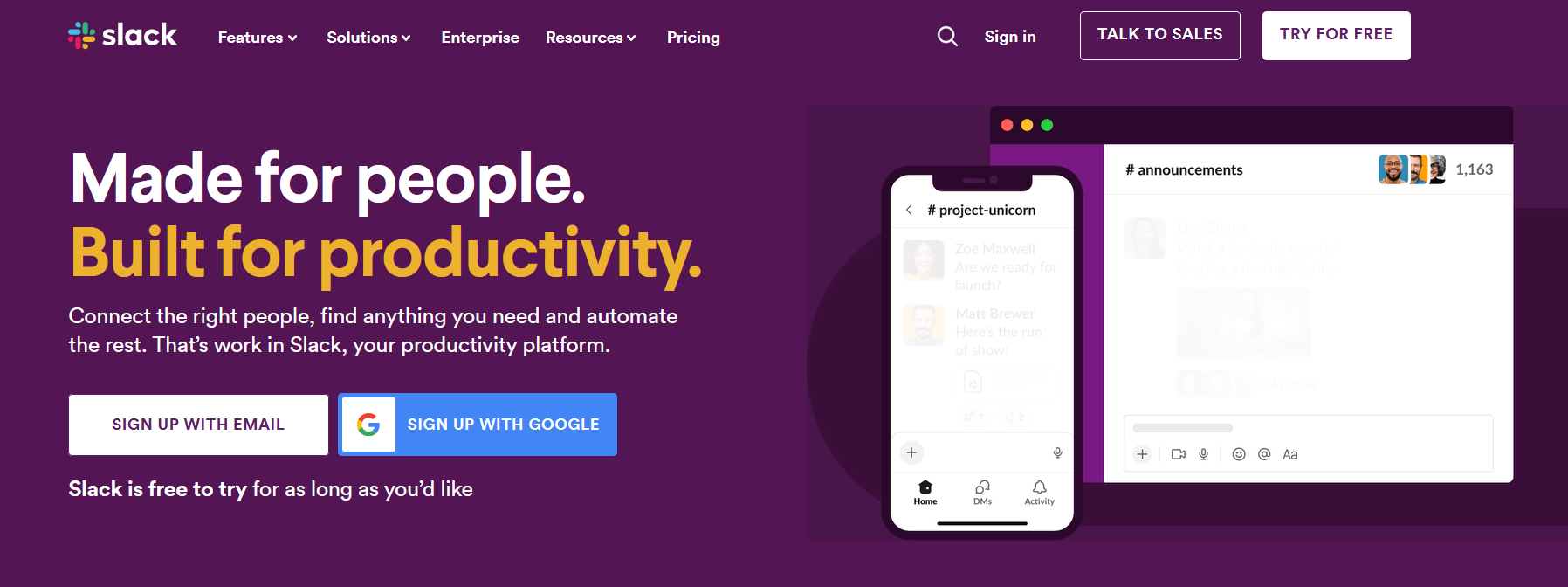
Slack is another alternative to Circle.so. With Slack, you can create specific channels for dedicated conversations, which replicates one of the main features of Circle.
Slack is common, and a ton of companies use it. So, there's a good chance some of the members will know Slack already from work.
Slack also has a dedicated app that works well and is available across all devices. While Slack channels can work for small, free communities, they aren't designed to help people connect and meet each other. Slack's free plan only gives access to the most recent 90 days of message and file history, and content more than one year old is permanently deleted. Paid plans are priced per active user, which can become expensive as a community grows. There is no native monetization or branding, and the more comprehensive Slack plans are really expensive.
This makes Slack a good, simple option for some people testing community ideas. And it's fantastic for co-working.
Slack Pros
A free, simple starter plan that could work for small groups
Intuitive and familiar to users
Available on mobile and web
Works well for groups that already know each other
Slack Cons
No custom branding
No direct monetization options
No options to create online courses
Charges per member
Higher Logic Vanilla
Best Circle alternative for enterprise users platform
Higher Logic Vanilla is another Circle.so alternative that gives you features for creating and managing customer communities. It can be branded under a corporate brand and gives you some good membership management tools; members can be organized into different groups and you can add polls and questions.
As an enterprise platform, it adds ISO 27001 and SOC 2 compliance, as well as useful enterprise integrations. The newest AI features add AI-suggested answers, sentiment analysis, and AI moderation and search.


As an online forum solution, Vanilla is made for customer support, companies can engage and answer member questions, connect it to their knowledge base, or even to CRM and customer experience platforms (CEPs) like Salesforce or Zendesk.
Higher Logic is a great alternative to the Circle platform for brands looking for enterprise-level customer communities. It's not a full community solution for brands looking to monetize and sell digital products and memberships.
Higher Logic Pros
Build customer forums under a corporate brand
Add member management features and customization
Integrate with knowledge base and tools like Zendesk and Salesforce
Higher Logic Cons
Not a full community solution
Extremely limited subscription and monetization tools
No apps or white-label apps (web app only)
Hivebrite
Best Circle alternative for alumni and professional networks
Hivebrite is an alternative to the Circle community platform that was built as an alumni management platform.


Hivebrite includes features like dedicated subgroups, forum functions, and even a job board for students to explore. And it has added AI matching for networking, AI moderation, and AI search. Hivebrite has a unique mentoring feature that means community members can mentor each other–a popular feature on the review sites.
Hivebrite's best connecting feature for alumni networks? Its tools for events--including event apps. It can handle invite emails, tickets, and event calendars. And it has some monetization features like event ticketing and donor campaigns.
Although the live event features are strong, Hivebrite's community engine is quite simple compared to competitors. And the limited virtual event options with no livestreaming or video tools are another limit. However, it does have a Zoom integration.
Hivebrite is strongest for alumni, associations, and professional networks that need networking, mentoring, branded apps, event management, and member monetization. It lacks native livestreaming and video-course tools, so virtual-first creator communities may need additional integrations.
Hivebrite Pros
Live event management and useful alumni features
CMS tools with job board
AI matching and mentoring tools
Good live event management
Apps under your brand
Hivebrite Cons
Limited community engine for engagement
Doesn't have livestreaming, native video, or courses
Thinkific
Best low-cost option for async courses and websites
Thinkific is a good course platform, and they've recently added some community features that make it a decent alternative to Circle.so.
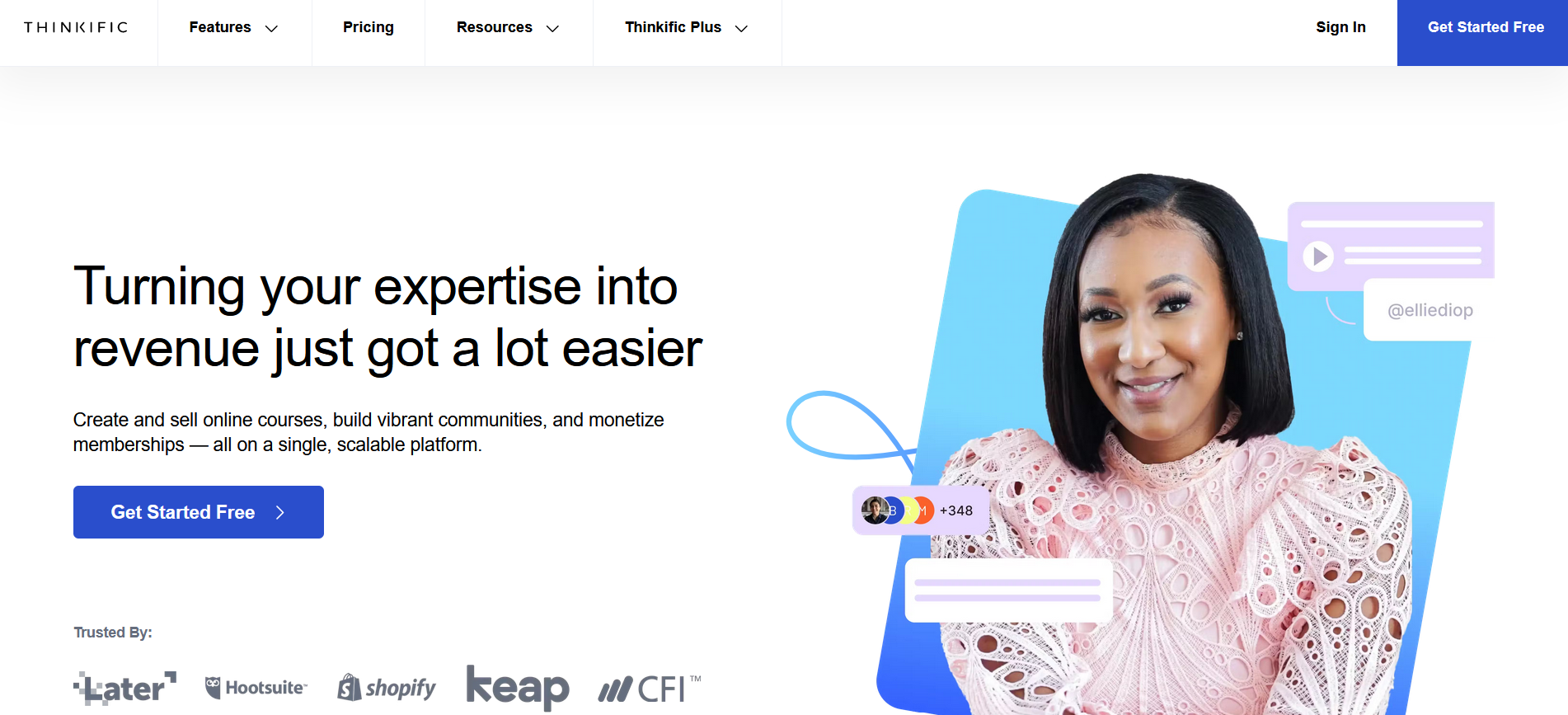
As an e-learning solution, Thinkific is strong. It has good curriculum-building features with advanced quizzes, webinars, surveys, and feedback. And it adds live events, direct messaging, push notifications, community moderator roles, trending posts, and threaded comments. It's still not a match for dedicated community platforms, but it functions well.
Thinkific is a bit like Kajabi, but it's significantly cheaper.
The biggest weakness of Thinkific is its apps, which are low-rated: Users complain about poor performance, video lags, difficult UI, and a much more limited experience than the web version.
Thinkific Pros
Good course platform with really strong LMS options
Some integrated marketing features
Thinkific Cons
The community feature isn't as strong as Circle's
Thinkific's app reviews are not well-rated
Conclusion
There are a lot of great options on this list for every creator. And if you are the creator looking for a community alternative to Circle, why not give Mighty Networks a try? It gives you the power to create a vibrant community, host discussions, sell memberships, go live, build dedicated subgroups, and create elegant courses.
You can try it free for 14 days--no credit card required.
Ready to start building your community?
Start a free 14-day trial to explore Mighty—no credit card required.
More like this


Join Mighty Community
Learn the principles of Community Design™ (and see them in action) alongside thousands of creators and entrepreneurs. It's free to join!


Online Courses
Creating a Course
Teaching a Course
Course Platforms
Selling a Course
Communities & Memberships
Community Platforms
Managing a Community
Building a Community
Growing a Community
Monetizing a Community
Creators & Entrepreneurs
Monetization
Content Creation
Starting a Business
Website Builders
Creating & Managing a Website
Events
Event Platforms
Hosting & Marketing Events
Branded Apps
Creating a Mobile App
Coaching Apps
Community Apps
Coaching
Mastermind Groups
Starting a Coaching Business
Coaching Platforms
Filter by Category
Online Courses
Communities & Memberships
Creators & Entrepreneurs
Events
Branded Apps
Coaching
Start your free trial
14 Days. No Credit Card Required.